SQLite Plugin
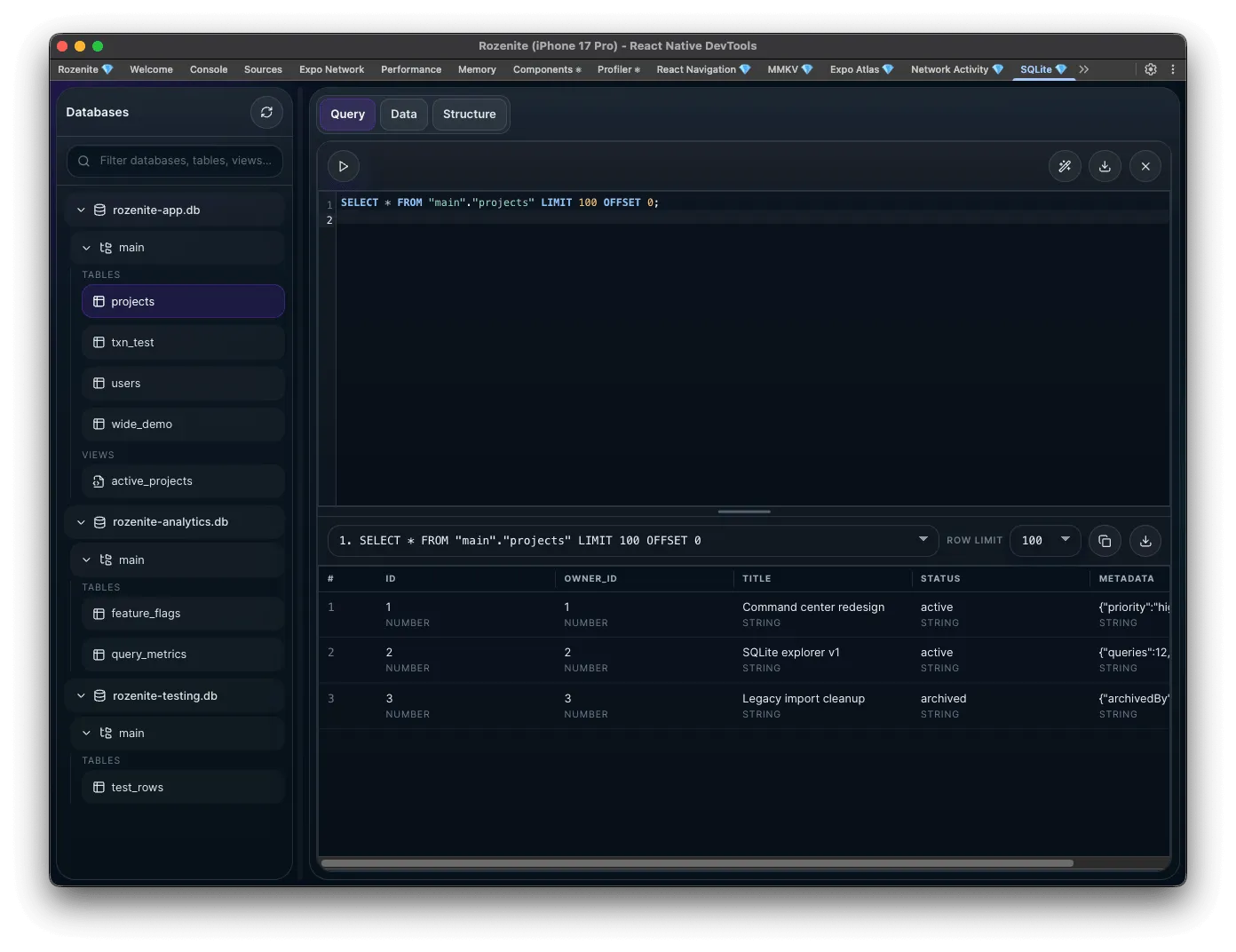
The SQLite plugin provides a query-first database inspector for React Native DevTools. It works with registered SQLite adapters, ships with an expo-sqlite adapter out of the box, and derives tables, schema details, and browse views entirely through SQL and PRAGMA queries.
Installation
Section titled “Installation”Make sure to go through the Getting Started guide before installing the plugin.
Install the plugin:
npm install -D @rozenite/sqlite-pluginyarn add -D @rozenite/sqlite-pluginpnpm add -D @rozenite/sqlite-pluginbun add -D @rozenite/sqlite-pluginInstall the adapter peer dependency if you use Expo SQLite:
npm install -D expo-sqliteyarn add -D expo-sqlitepnpm add -D expo-sqlitebun add -D expo-sqliteBase Setup
Section titled “Base Setup”import * as SQLite from 'expo-sqlite';import { createExpoSqliteAdapter, useRozeniteSqlitePlugin,} from '@rozenite/sqlite-plugin';
const appDb = SQLite.openDatabaseSync('app.db');const analyticsDb = SQLite.openDatabaseSync('analytics.db');
const adapters = [ createExpoSqliteAdapter({ databases: { app: { name: 'app.db', database: appDb, }, analytics: { name: 'analytics.db', database: analyticsDb, }, }, }),];
function App() { useRozeniteSqlitePlugin({ adapters }); return <YourApp />;}What the panel provides
Section titled “What the panel provides”- Browse registered databases, tables, and views.
- Inspect columns, defaults, primary keys, indexes, and foreign keys.
- Run SQL scripts and inspect normalized metadata for each executed statement.
- Preview result cells with structured JSON and blob-like payload support.
Agent Integration
Section titled “Agent Integration”This plugin exposes agent tools under the @rozenite/sqlite-plugin domain for LLM workflows. No additional setup is required — tools are registered automatically when useRozeniteSqlitePlugin is called.
list-databases— list all registered databases with their adapter infoexecute-sql— execute one or more semicolon-separated SQL statements against a database; returns per-statement rows, columns, and metadata, withfailedStatementIndexpointing to the first failure in a batch
Use list-databases first to discover available database IDs, then pass the ID to execute-sql. A single execute-sql call handles everything: reads, writes, DDL, PRAGMAs, and multi-statement scripts.
Adapter: Expo SQLite
Section titled “Adapter: Expo SQLite”createExpoSqliteAdapter({ adapterId: 'expo-sqlite', adapterName: 'Expo SQLite', databases: { app: { name: 'app.db', database: SQLite.openDatabaseSync('app.db'), }, cache: { name: 'cache.db', database: SQLite.openDatabaseSync('cache.db'), }, },});- The display name is shown in the UI, while the plugin generates an internal opaque ID for bridge traffic.
- The SQL editor executes statements in order, stops on the first error, and preserves explicit
BEGIN,COMMIT, andROLLBACKstatements. - Custom adapters receive the full ordered statement array for scripts. To preserve per-statement failure details, throw an error enriched with
completedResultsandfailedStatementIndex. - Schema and browse features are implemented with SQL and
PRAGMA, so custom adapters only need to normalize statement execution.
Custom adapters
Section titled “Custom adapters”You can support any sqlite-like runtime by creating a generic adapter with an executeStatements() function per database:
import { createSqliteAdapter } from '@rozenite/sqlite-plugin';
const adapters = [  createSqliteAdapter({    adapterName: 'Custom SQLite Driver',    databases: {      main: {        name: 'main.db',        executeStatements: async (statements) => {          const results = [];
          for (const statement of statements) {            const result = await driver.execute(statement.sql, statement.params);
            results.push({              rows: result.rows,              columns: result.columns,              metadata: {                statementType: result.statementType,                rowCount: result.rows.length,                changes: result.changes,                lastInsertRowId: result.lastInsertRowId,                durationMs: result.durationMs,              },            });          }
return results; }, }, }, }),];Next: See Storage, File System, and Plugin Development.