React Hook Form Plugin
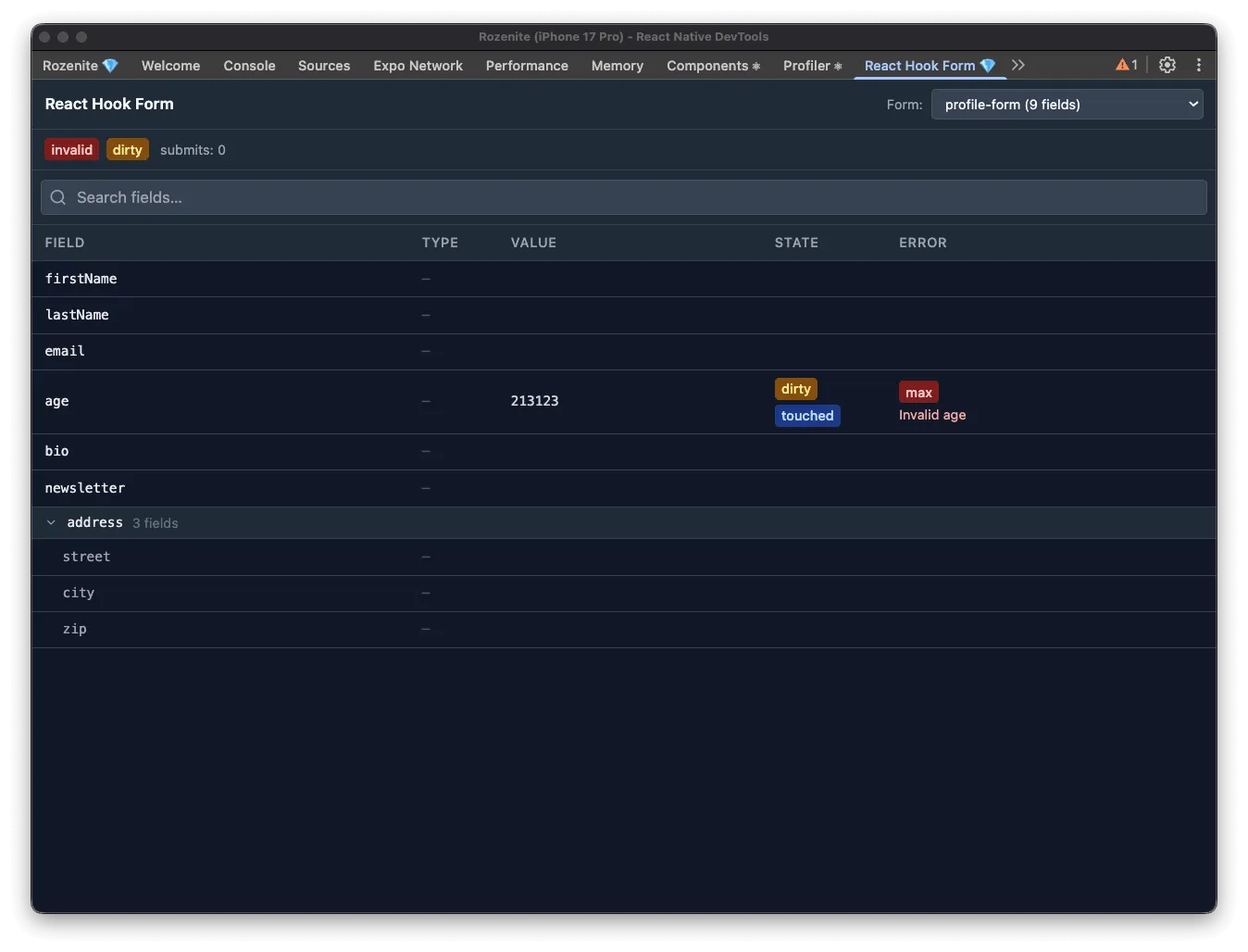
The React Hook Form plugin lets you inspect your forms in real time from React Native DevTools. For every mounted form you can see field values, validation errors, dirty and touched states, native input types, and overall form status — without adding any logging or breakpoints.
Installation
Section titled “Installation”Make sure to go through the Getting Started guide before installing the plugin.
npm install -D @rozenite/rhf-pluginyarn add -D @rozenite/rhf-pluginpnpm add -D @rozenite/rhf-pluginbun add -D @rozenite/rhf-pluginCall useRozeniteRHFPlugin inside any component that has access to a react-hook-form control object:
import { useForm } from 'react-hook-form';import { useRozeniteRHFPlugin } from '@rozenite/rhf-plugin';
function MyForm() {  const { control, handleSubmit } = useForm();  useRozeniteRHFPlugin({ control });
  return (    // your form JSX  );}
That’s all. The panel appears automatically in React Native DevTools under React Hook Form.
Multiple Forms
Section titled “Multiple Forms”Each useRozeniteRHFPlugin call registers an independent entry in the panel. By default the panel uses React’s internal ID to label each form. Pass an explicit id to make the label readable:
useRozeniteRHFPlugin({ control, id: 'checkout-form' });When a form unmounts it stays visible in the panel marked as disconnected, so you can still inspect its last snapshot.
What the Panel Shows
Section titled “What the Panel Shows”| Column | Description |
|---|---|
| Field | Registered field name. Nested objects are grouped into collapsible sections. |
| Type | Native input type (text, email, …) when available. |
| Value | Current field value. |
| State | dirty and touched badges. |
| Error | Validation error type and message. |
The header bar shows global form status: valid, invalid, dirty, submitting, submitted, submitSuccessful, validating, and the submit count.
Use the search box to filter fields by name.
Peer Dependencies
Section titled “Peer Dependencies”This plugin requires react-hook-form v7:
"react-hook-form": "^7.33.1"