Redux DevTools Plugin
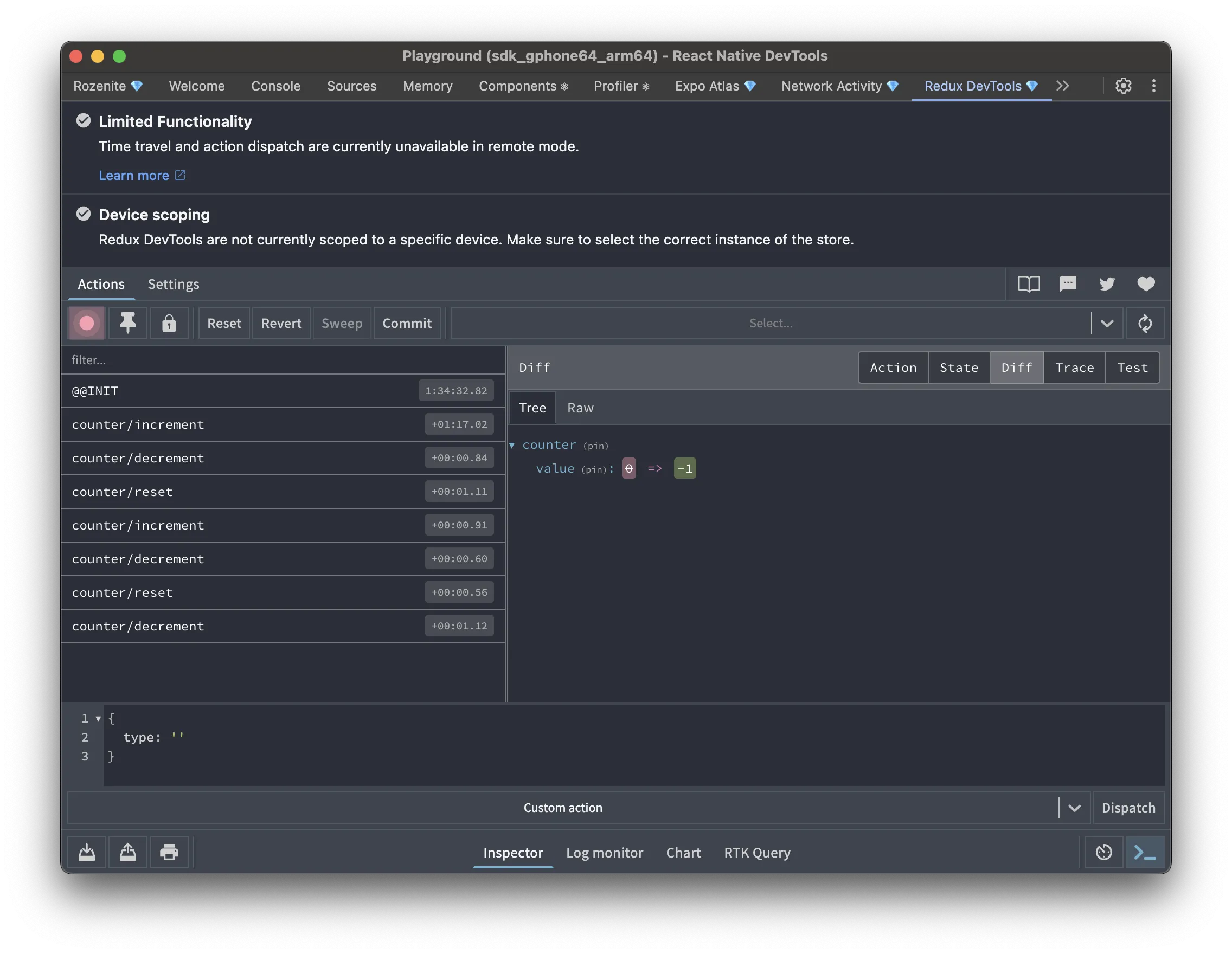
The Redux DevTools plugin brings the familiar Redux DevTools experience into React Native DevTools: state inspection, action history, and state diffs for your store.
Installation
Section titled “Installation”Make sure to go through the Getting Started guide before installing the plugin.
npm install -D @rozenite/redux-devtools-pluginyarn add -D @rozenite/redux-devtools-pluginpnpm add -D @rozenite/redux-devtools-pluginbun add -D @rozenite/redux-devtools-pluginAdd the enhancer to your store:
Redux Toolkit (recommended)
Section titled “Redux Toolkit (recommended)”import { configureStore } from '@reduxjs/toolkit';import { rozeniteDevToolsEnhancer } from '@rozenite/redux-devtools-plugin';import rootReducer from './reducers';
const store = configureStore({ reducer: rootReducer, enhancers: (getDefaultEnhancers) => getDefaultEnhancers().concat(rozeniteDevToolsEnhancer()),});
export default store;Classic Redux
Section titled “Classic Redux”import { createStore, applyMiddleware } from 'redux';import { rozeniteDevToolsEnhancer } from '@rozenite/redux-devtools-plugin';import rootReducer from './reducers';
const store = createStore( rootReducer, applyMiddleware(/* your middleware */), rozeniteDevToolsEnhancer(),);
export default store;Rematch
Section titled “Rematch”Follow the Rematch documentation and use composeWithRozeniteDevTools as the devtoolComposer:
import { init } from '@rematch/core';import { composeWithRozeniteDevTools } from '@rozenite/redux-devtools-plugin';
export const store = init({  models: {    // your models  },  redux: {    devtoolComposer: composeWithRozeniteDevTools(),  },});
export default store;
Web (React Native for Web)
Section titled “Web (React Native for Web)”With Rozenite for Web, this plugin is also available when debugging your React Native web app.
Once configured, “Redux DevTools” appears in your React Native DevTools sidebar.
Multiple stores
Section titled “Multiple stores”Give each store a distinct name so you can tell them apart in the panel:
const appStoreEnhancer = rozeniteDevToolsEnhancer({ name: 'app-store' });const sessionStoreEnhancer = rozeniteDevToolsEnhancer({ name: 'session-store' });Large stores
Section titled “Large stores”State is serialized and sent to DevTools over the device bridge, so a large store combined with a lot of action history can use a lot of memory — on Android this can even crash the app when you open the panel. If your store is large (RTK Query caches, big entity maps), lower maxAge (default 50) and strip bulky slices with stateSanitizer / actionSanitizer:
rozeniteDevToolsEnhancer({ maxAge: 20, stateSanitizer: (state) => ({ ...(state as Record<string, unknown>), api: '[omitted]', }), actionSanitizer: (action) => ({ ...action, payload: action.type === 'large/payload' ? '[omitted]' : action.payload, }),});Hiding frequent actions
Section titled “Hiding frequent actions”Actions that fire constantly (polling, timers, scroll or map updates) push everything else out of the maxAge window. List them in actionsDenylist to keep them out of the panel. They still run through your reducers, so the next action you see includes their state changes. Entries are strings or regular expression sources; actionsAllowlist does the opposite and sends only matching actions.
rozeniteDevToolsEnhancer({ actionsDenylist: ['map/regionChanged', 'markers/.*Fetched'],});Dispatch traces
Section titled “Dispatch traces”Set trace: true to capture where each action was dispatched from, symbolicated back to your source files through Metro:
rozeniteDevToolsEnhancer({ trace: true, traceLimit: 25,});Pass traceSymbolication: false to keep raw stacks without the Metro round-trip.
Agent Integration
Section titled “Agent Integration”Agent tools are a separate, manual step — instrumenting your store with the enhancer doesn’t register them on its own. Mount this once near your app root:
import { useReduxDevToolsAgentTools } from '@rozenite/redux-devtools-plugin';
function App() {  useReduxDevToolsAgentTools();
  return <YourApp />;}
This registers curated tools under the @rozenite/redux-devtools-plugin domain for listing stores/actions, dispatching actions, and driving history (jump/rollback/commit) — rather than exposing raw eval-based commands.
Next: Learn about Plugin Development, or explore other Official Plugins.